
From the raw folder to a finished multicam edit
Editing a video podcast by hand in DaVinci Resolve means hours of the same clicks: syncing every camera to the sound, building a multicam clip, then switching angles at every change of speaker, for the whole episode. In our own studio an episode took three to four hours. With SOLD CUT the same work took 25 minutes, most of it checking and polishing, not clicking.
- Import. Point SOLD CUT at the folder with the camera cards and the recorder files. It groups cameras and microphones, syncs everything by sound or timecode, starts DaVinci Resolve on its own and builds the project and the timeline. Already have a synced timeline? Pick it and skip this step.
- Who is who. Each person gets their microphone; each camera gets a person, the wide shot, a group shot or a split screen. Save it as a show preset and next week it takes a second.
- Analyze. The audio of every microphone decides who speaks, who interrupts and when to breathe on the wide. You pick a pace and see the whole cut as one coloured strip before anything is written.
- Cut to a copy. A new timeline, “EP29 AUTO”, appears in your project with the chosen angle on and every other angle kept underneath, disabled, so any shot is one click away in Resolve.
Watch the four steps on a real episode in the two-minute demo, or read every page of the app in the guide.
Why the microphones decide the camera
The person talking is the person whose microphone is loudest, so SOLD CUT listens to each person’s own microphone instead of guessing from the picture. On top of that come the rules our editors follow on every episode: hold on real turns, absorb quick interjections, go wide at the right moments, show both people with a group shot or a split screen when they talk over each other. You choose the pace (slow, balanced or fast) and how eagerly it follows interruptions.
We measured it on one of our own episodes against DaVinci Resolve’s built-in Multicam SmartSwitch: the person talking was on screen 93.5% of the time with SOLD CUT and between 72% and 87% with SmartSwitch, and SOLD CUT analyzed the episode in 4 seconds instead of 46 minutes. See the full comparison and how we measured.
Everything else a podcast needs, in the same app
The multicam cut is where the work starts. Each of these builds its own copy in Resolve, where you can still change everything:
- Subtitles in 33 languages, every voice named and timed word by word: free on your Mac with Whisper large-v3, or in the cloud with SOLD CUT credits, with an optional AI review that fixes misheard words from context.
- Ten YouTube titles written from the transcript, each scored from 1 to 10.
- React layouts: when a clip plays on the screen, both close-ups sit either side of a phone, the faces tracked one keyframe a second.
- Split screens for pairs or the whole group, side by side, stacked or in a grid.
- Jump cuts: a tightened copy without the quiet gaps, or a red marker on every gap so you decide each cut.
- Quick clips in 9:16, 4:5, 1:1 or 16:9 from any range or from your own IN and OUT markers, sent to Resolve’s render queue.
What you need
| Mac | Apple Silicon (M1 or newer), macOS 14 Sonoma or later |
|---|---|
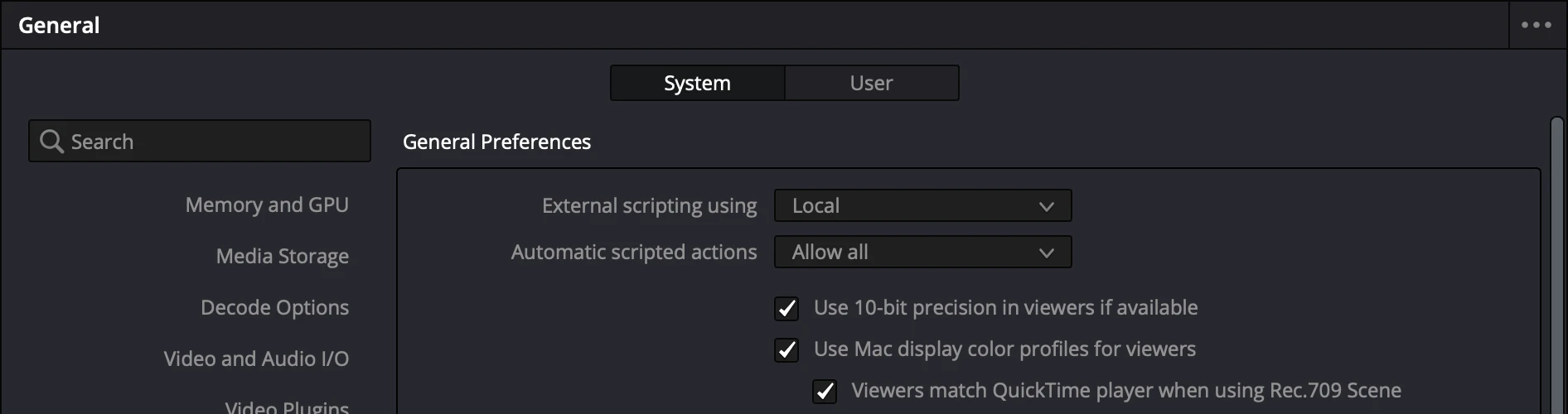
| Resolve | DaVinci Resolve Studio 19.1 or newer, with External scripting set to Local (SOLD CUT checks it and shows where) |
| Media | Separate cameras and a microphone per person. Mono, stereo and multitrack recorder files all work. |
| Nothing else | Python, FFmpeg and the analysis engine come inside the app. No Terminal, no Homebrew. |
Price
SOLD CUT is €150 once, for two Macs at the same time, with every update including the next major version. No subscription. Try every feature free for 3 days with 100 AI credits: download SOLD CUT, open it and type your e-mail.
SOLD CUT is made by SOLD OUT MEDIA, a podcast production studio in Romania. The rules inside it come from hundreds of episodes we edited for our own shows.
Questions
Does it work with the free DaVinci Resolve?
No. Since version 19.1, only DaVinci Resolve Studio lets other apps control it through scripting, and that is how SOLD CUT builds your edit. You need Resolve Studio 19.1 or newer.
How many people and cameras can a podcast have?
Two to ten people, each with their own microphone or their own channel on a multitrack recorder, and any number of cameras per person, plus wide shots, group shots and split screens.
Will it change my timeline?
No. Every step writes a new timeline next to the one before it, named “… AUTO”, “… SPLITS” or “… REACT”. Your timeline is only read, and a half-built copy is removed if you stop.
Do I need internet?
Only to activate the app, to download the speech model once, and for the optional AI features. The multicam cut, transcription on your Mac, face framing, splits, react builds and jump cuts all work offline.
Is there a Windows version or a Premiere Pro version?
Not yet. Adobe Premiere Pro is next, then Windows. Today SOLD CUT runs on Macs with Apple Silicon and DaVinci Resolve Studio.