
What you need
- A Mac with Apple Silicon (M1 or newer), macOS 14 Sonoma or later.
- DaVinci Resolve Studio 19.1 or newer.
- Your episode: a camera on each person and a microphone per person (separate files, or one channel each on a multitrack recorder).
Step 1 · Install
- Download SOLD CUT from soldcut.app/download. It is always the newest version, signed and checked by Apple.
- Open the downloaded .dmg and drag SOLD CUT into Applications.
- Open SOLD CUT from Applications.
Everything it needs is inside the app: no Terminal, no Homebrew, no Python to install.
Step 2 · Activate, or start the free trial
The first time you open SOLD CUT it asks for your licence.
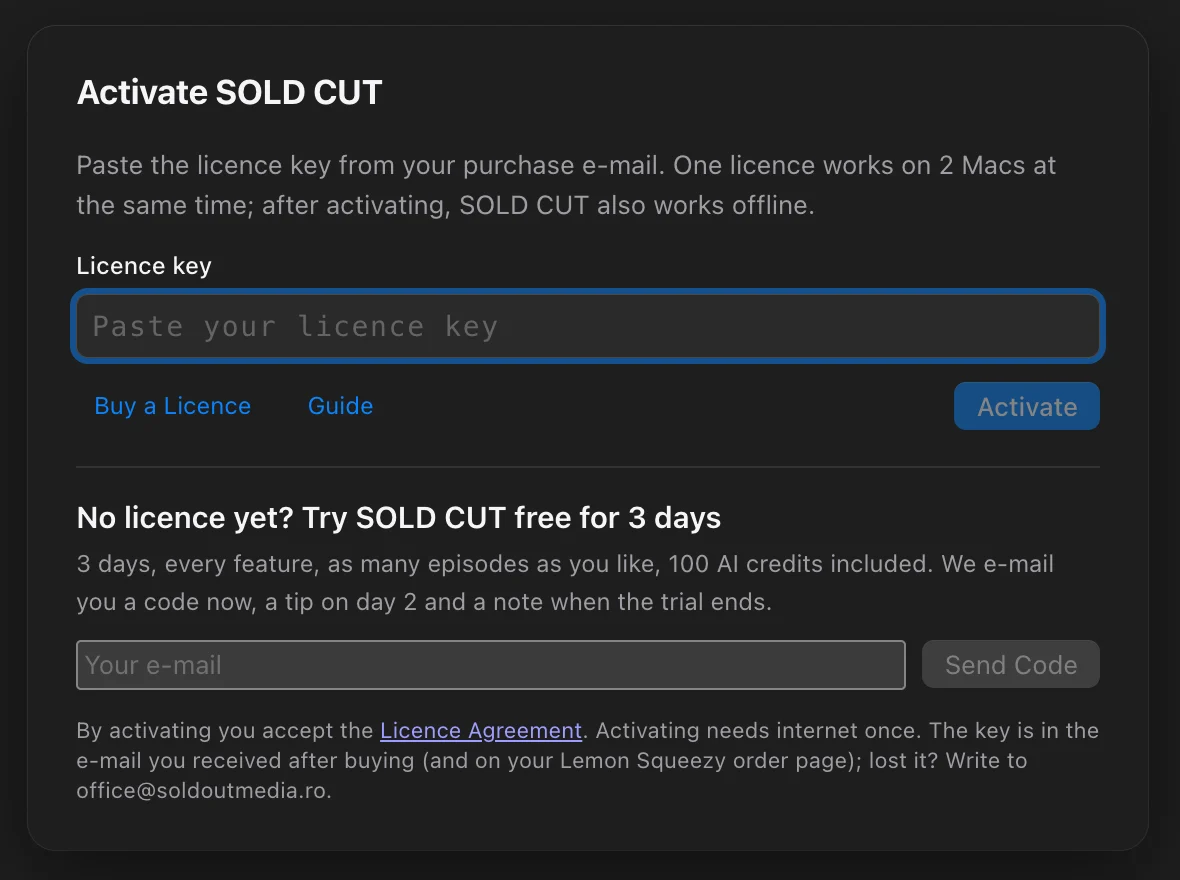
- Bought it? Paste the licence key from your purchase e-mail and press Activate. It needs internet once; after that SOLD CUT works offline.
- Want to try first? Under No licence yet? type your e-mail, press Send Code, then type the 6-digit code from the e-mail and press Start Free Trial: 3 days, every feature, 100 AI credits.
Step 3 · Let SOLD CUT talk to Resolve
SOLD CUT drives DaVinci Resolve through its scripting. Resolve has to allow it, once:
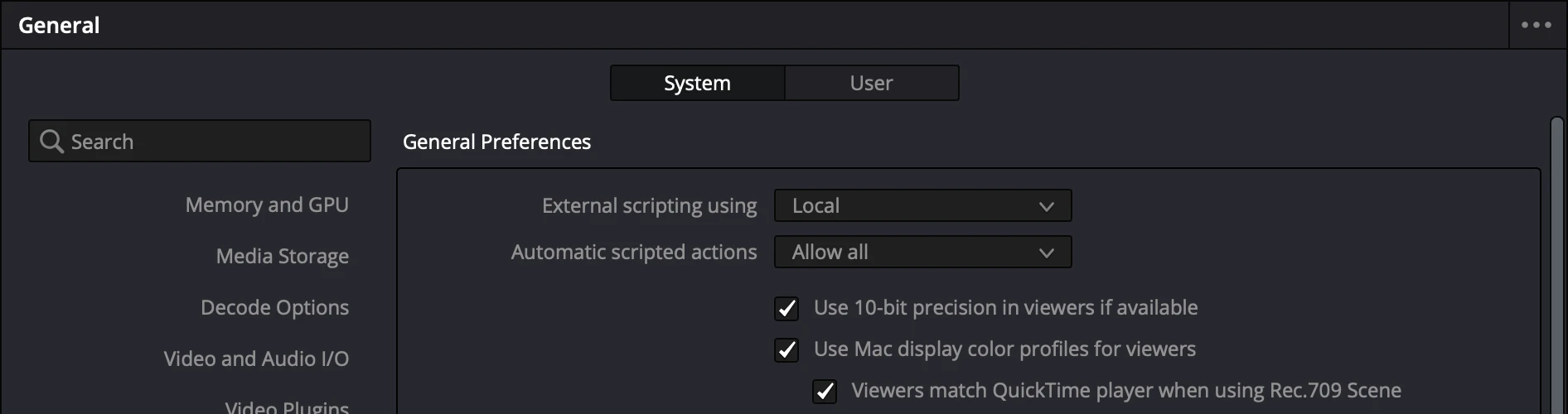
- In DaVinci Resolve, open DaVinci Resolve › Preferences… (⌘,).
- Choose System, then General.
- Set External scripting using to Local and press Save.
- Quit Resolve completely (⌘Q) and open it again. The setting only works after a restart.
Step 4 · The frame rate, saved as your default
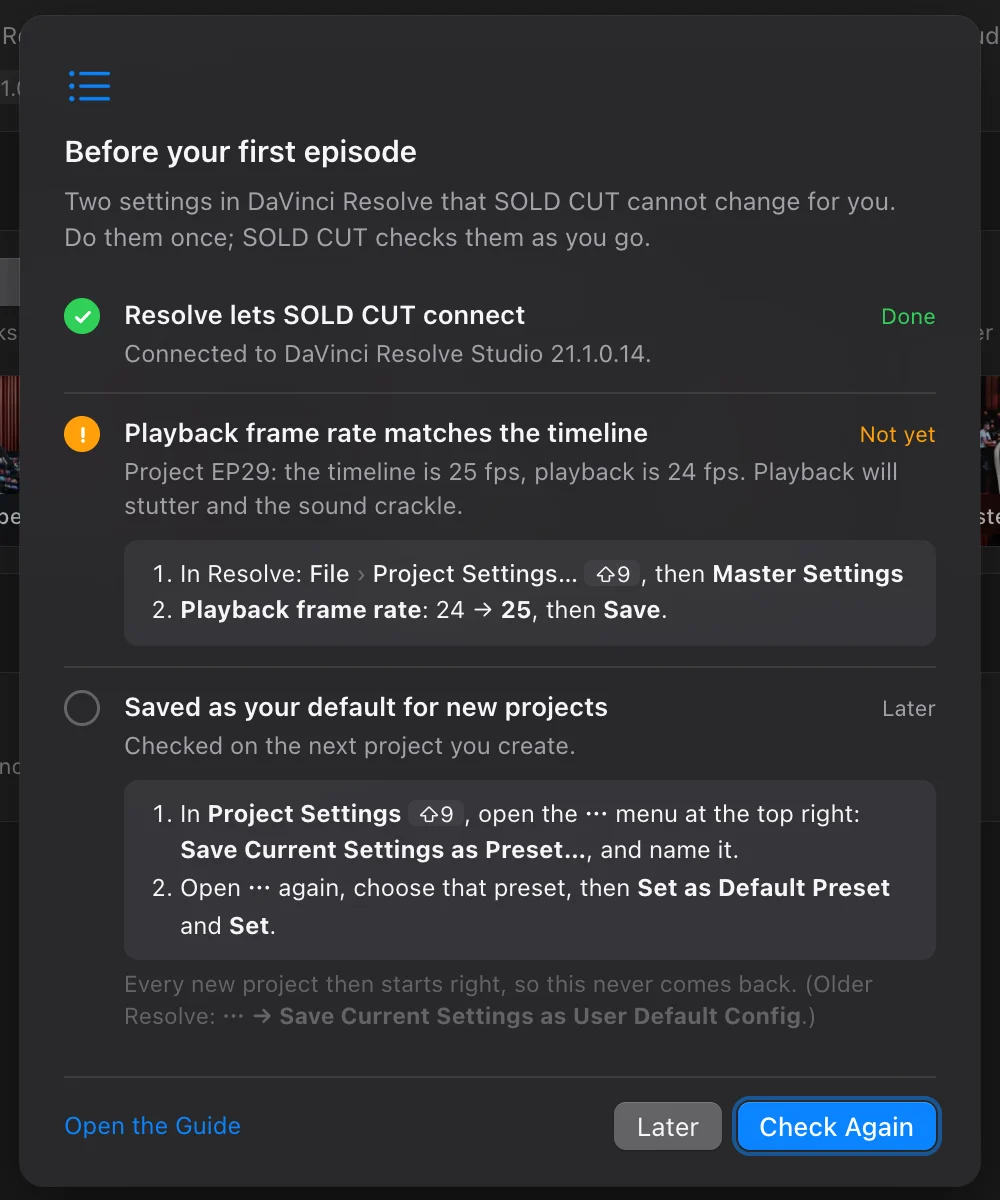
Resolve starts new projects at 24 frames per second. If you film at 25 (Europe) or 30, playback stutters and the sound crackles. Set your rate once and save it as the default, so every project, including the ones SOLD CUT creates, starts right.
- In Resolve: File › Project Settings… (⇧9), section Master Settings.
- Set Timeline frame rate and Playback frame rate to your cameras’ rate (for example 25), then Save.
- Open Project Settings again. From the ⋯ menu at the top right choose Save Current Settings as Preset… and name it, for example “25 fps”.
- From ⋯ again, choose that preset, then Set as Default Preset and Set. Older Resolve: ⋯ › Save Current Settings as User Default Config.
Step 5 · Let SOLD CUT check
When you open SOLD CUT with Resolve running, Before your first episode checks both settings for you. A row that is not right yet says exactly what to change:
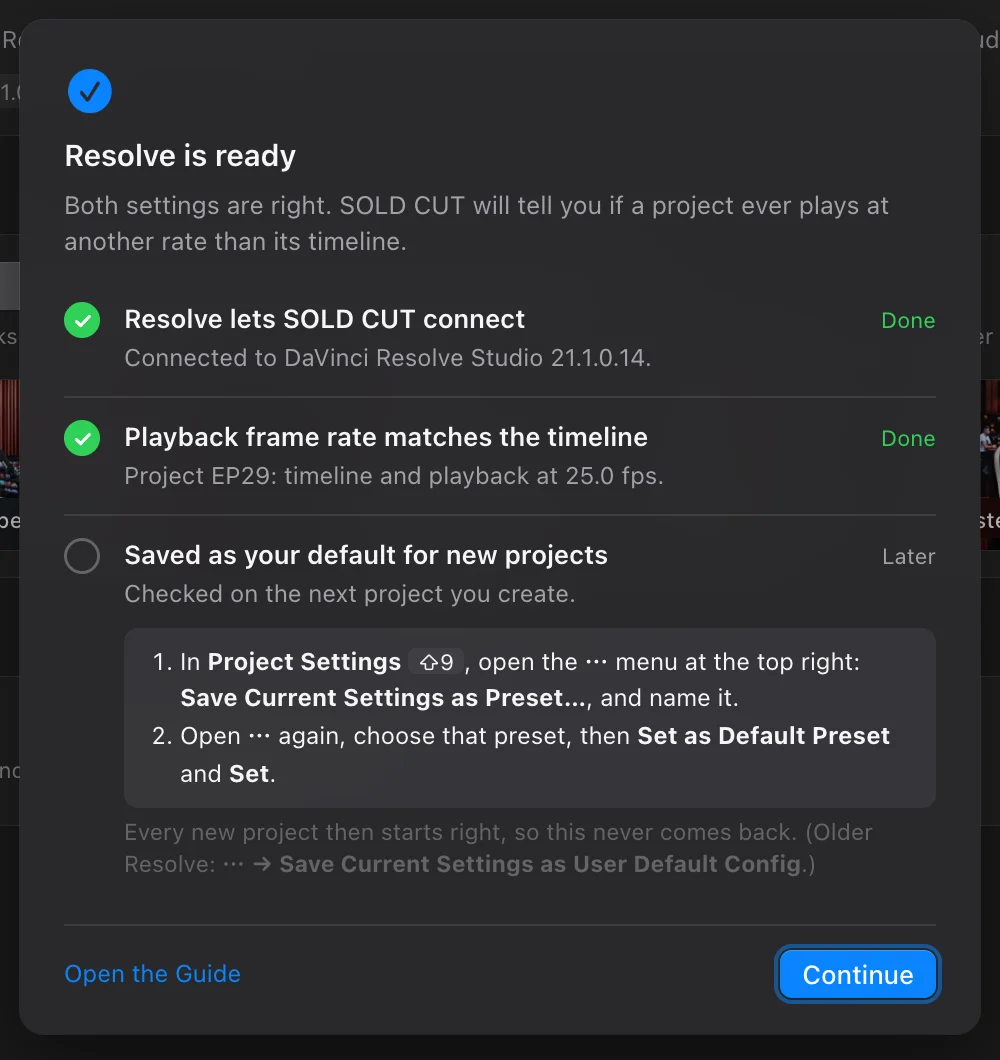
That’s it. You never do this again; if a project ever plays at another rate than its timeline, SOLD CUT tells you.
Questions
Does it work with the free DaVinci Resolve?
No. Since version 19.1 only DaVinci Resolve Studio lets other apps control it, and that is how SOLD CUT builds your edit.
Where is my licence key?
In the e-mail with your purchase receipt from Lemon Squeezy: a long code with dashes. Lost it? Write to [email protected] from the e-mail you bought with.
Can I use it on my laptop too?
Yes. One licence works on 2 Macs at the same time, for example the studio Mac and your laptop.